Developer's guide to declarative agents for Microsoft 365 Copilot: Webinar Recap
Learn how declarative agents differ from Copilot Studio, how the Sydney orchestrator works, and what developers need to build Microsoft 365 Copilot extensions.
Declarative agents are the Microsoft 365 (M365) Copilot extensibility path built for developers. They run on Sydney, the same orchestrator Microsoft uses for its own first-party Copilot agents (Researcher, Analyst, Knowledge), which means new capabilities land here first, often months before Copilot Studio gets them. You build them with JSON, YAML, and a text instructions file inside Visual Studio Code (VS Code). No compiled code required.
If you’ve spent any time staring at M365 Copilot extensibility docs, you’ve probably felt the whiplash. One page tells you to use Copilot Studio. Another points you at custom engine agents. A third mentions Declarative Agents (DAs) almost in passing. You close the browser with more questions than you started with, and you still don’t know which one to recommend in your next architecture review. That’s the kind of clarity gap Voitanos exists to close.
That’s exactly the problem I tackled in this week’s webinar, The Developer’s Guide to Declarative Agents for Microsoft 365 Copilot. Ninety minutes, no marketing theater, just the mechanics of how DAs actually work, where they beat Copilot Studio, where they don’t, and what to watch out for when you put one in front of real users.
Here’s the condensed version for anyone who couldn’t make it live.
Why declarative agents deserve a serious look
The short version: DAs are the extensibility path Microsoft doesn’t promote nearly enough. They’re not Copilot Studio. They’re not custom engine agents. They live in the middle, and for developers who are comfortable with JSON, YAML, and a little TypeScript, they’re usually the right answer.
You build them inside VS Code using the Microsoft 365 Agents Toolkit (ATK). If the name sounds new, that’s because Microsoft rebranded the Teams Toolkit. Same extension, new marketing. Install it, sign in, and you can scaffold your first agent in under a minute.
Here’s the thing most people don’t realize: when Microsoft builds its own first-party Copilot agents (Researcher, Analyst, Sales, Knowledge), they build them as declarative agents. Same orchestrator. Same capabilities. Same runway. When a new feature ships in Copilot, it lands on the DA orchestrator first and usually takes a while to make it into Copilot Studio, if it ever does.
That’s a big deal. If you bet on DAs today, you’re on the same path as Microsoft’s own product teams.
How the Microsoft 365 Copilot orchestrator actually works
This was the single most useful thing I shared in the webinar, and it catches almost everybody off guard: Copilot Studio and declarative agents run on different orchestrators. Copilot Studio runs on Samba. Declarative agents, and Microsoft’s first-party agents, run on Sydney.
That sounds like trivia. It isn’t.
In head-to-head testing with identical configuration, a declarative agent (Sydney orchestrator) returned 10-15 SharePoint documents from the same query that a Copilot Studio agent (Samba orchestrator) capped at around 3. There’s no setting to change. It’s a platform difference, and I don’t think Microsoft does a good job explaining this to you.

How Microsoft 365 Copilot Works
The diagram above shows the two-pass Retrieval-Augmented Generation (RAG) flow that powers every Copilot response: the orchestrator queries available data sources on the first pass, collects the results, then sends a second prompt to the LLM with the retrieved context. For a deeper look at the full architecture, see How Microsoft 365 Copilot Works: Understanding the Tech Stack.
Under the hood, the orchestrator does two round trips to the Large Language Model (LLM) for every user prompt. The first pass asks the model, “what data do you need to answer this?” The model replies with a shopping list (calendar for today, attendees, recent emails with those people). The orchestrator goes and collects that data from the semantic index (Microsoft 365’s vector-based content index that Copilot queries for knowledge retrieval), Microsoft Graph (MSGraph), Bing, Dataverse, plugins, Model Context Protocol (MCP) servers (the open protocol for connecting AI agents to external data sources and tools), whatever you’ve wired up. Then it sends a second prompt to the LLM with the user’s original question plus all that retrieved context, and the final answer comes back.
That’s RAG in action, and it’s why you see the “thinking” animation. Real round trips, real data, real latency.
Four ways to build a Microsoft 365 Copilot agent
In the companion webinar the week before, I walked through the full landscape. To keep you oriented, here’s where DAs fit:
| Option | Target Builder | Orchestrator | Best For |
|---|---|---|---|
| SharePoint agents | Anyone | Sydney | Q&A over a single document library |
| Agent Builder | Low-code makers | Sydney | Lightweight customization inside the Copilot app |
| Copilot Studio | Low-code / no-code | Samba | Visual designer, topics, Power Platform connectors |
| Declarative Agents (ATK) | Pro-code developers | Sydney | Full control, JSON/YAML/text, early access to new capabilities |
SharePoint agents are the simplest option, scoped to a single document library. Agent Builder (the rebranded “Copilot Studio Light” that lives inside the Copilot app) gets you a notch further with lightweight customization. Copilot Studio is the full low-code experience with a visual designer, topics, and its own Samba orchestrator. Declarative agents via the ATK are the pro-code path, running on Sydney, with access to features months before Copilot Studio gets them.

Microsoft 365 Custom Agent Creation Landscape
The slide above summarizes the full decision framework: pick based on who’s building, who’s using, and what capabilities you actually need.
What a declarative agent actually is
A DA is a bundle of configuration files. There’s the app manifest that Teams and Copilot use for identity and install. There’s the declarative agent manifest with your name, description, instructions, conversation starters, knowledge references, and action references. Then there are action/plugin manifests and OpenAPI Specifications (OAS) for any APIs you wire up.
No compiled binaries. No C#. No Python runtime. Just JSON, YAML, and text files. If you’ve written a package.json, you’re already most of the way there.
The instructions file is where the real engineering happens. DAs don’t have Copilot Studio “topics,” and you don’t need them. You write natural language instructions that scope the agent’s behavior. In the PTO request demo I ran live, I told the agent: “Try to determine the start date, duration, and destination from the user’s message. Prompt the user for any you can’t determine. IMPORTANT: do not proceed with the remaining steps until you have collected at least these three properties.”
That’s your topic. That’s your required-fields gate. It’s just prose.
Knowledge, actions, and capabilities (know the difference)
Knowledge is for relatively stable, unstructured content that can be pre-indexed: standard operating procedures, course transcripts, policy documents. It flows through the semantic index, which means hours of ingestion delay. Good for content that doesn’t change often. Actions are for real-time or structured data: stock quotes, inventory, CRM lookups, SharePoint list reads and writes. They hit a live REST API or an MCP server at runtime with no indexing lag. Perfect for anything your business actually runs on. Capabilities are platform features you toggle on for the agent: web search, image generation, code interpreter, Power Platform connectors, email, calendar, and so on.
Microsoft uses these three terms almost interchangeably. They are not interchangeable, and mixing them up will cost you hours. Get this mental model straight and a lot of other decisions become obvious.
How to override Copilot’s default enterprise search workflow
One of the best stories from the webinar: I spent hours trying to get my PTO agent to stop doing enterprise search and just open the SharePoint (SPO) Word document I’d given it by ID. Copilot kept coming back with “I tried to find the file, couldn’t find it,” while the file ID was right there in the agent’s instructions.
Turns out Copilot has a hardcoded default workflow that runs enterprise search before going after specific files by ID. I finally asked Claude to help me reason about it, and it pointed me at the override: you explicitly tell the agent in its instructions to skip the default workflow.
The following instruction snippet overrides Copilot’s default enterprise-search workflow and forces it to access the SharePoint file directly by ID:
 1Inform the user you need to check the PTO request against the PTO policy.
 2
 3> ###  ✅ Override Default Workflow
 4>
 5> For PTO requests, you must **NOT perform any enterprise search** for the
 6> PTO policy document. Ignore all general guidance about searching for files first.
 7>
 8> Instead:
 9>
10>  - **Directly access the Word document specified in the OneDriveAndSharePoint
11>    capability by its `unique_id`.**
12>  - This rule **takes precedence over all other instructions**, even those that
13>    recommend searching across domains.
14
151. The company PTO Policy is defined in a Word document referenced in the
16   OneDriveAndSharePoint capability defined in the agent manifest by the Word
17   document's `unique_id`.
18
192. After you obtain the PTO policy from the Word document specified in the
20   OneDriveAndSharePoint capability in the agent's manifest, use the policy to
21   check for policy restrictions or violations for the PTO request that starts
22   on {pto_start_date} for {pto_hours} for an employee traveling to {pto_location}.
23
24Summarize the results of the PTO request with the company PTO policy.
It works. When I showed Microsoft, their reaction was, “you shouldn’t have been able to figure that out, much less change it.” That’s the kind of thing you don’t find in the docs.
Altering M365 Copilot's Default Workflow - It's Possible!
Learn how to troubleshoot and fix M365 Copilot agents that ignore your instructions by overriding the platform's default enterprise search workflow.

Why you should splice the Microsoft Graph OpenAPI spec
If you’re going to hand your agent access to Microsoft Graph, don’t do what most people do. The MSGraph OAS is about 37 MB and over 200,000 lines. VS Code doesn’t even want to open it. Feed that to an agent and you’ll flood its context window with irrelevant endpoints, leaving almost no room for the actual conversation.
Splice out only what you need. For the PTO balance example, that meant /me, a SharePoint list items GET, and a list items PATCH. Three endpoints. The agent reads the PTO balance, calculates the new value, writes it back. No code. Just JSON, YAML, text, and good instructions.
Speaking of doing this right: the mechanics of splicing OAS files, wiring OAuth scopes, and coaching the agent to call the right function at the right time are exactly what we work through hands-on during the Build Declarative Agents for Microsoft 365 Copilot workshop.
Next cohort runs April 28-30, 2026.
TypeSpec: the developer experience you’ve been waiting for
If you’ve ever tried to edit a plugin manifest by hand and wondered why your agent wouldn’t load, TypeSpec is the fix.

TypeSpec is a DA Developer's Best Friend
TypeSpec a domain-specific language Microsoft uses internally (Azure writes their APIs with it), it looks like TypeScript, and it compiles down to the JSON, YAML, and OpenAPI files your DA actually ships.
Real intellisense. Real type checking. Environment variable substitution at build time. Typos caught at compile time instead of at runtime in Copilot. If you’ve used Bicep for Azure Resource Manager templates, TypeSpec is effectively Bicep for OpenAPI and DA manifests.
Learn more about TypeSpec in my article:
TypeSpec 101: Building Microsoft 365 Declarative Agents
TypeSpec is Microsoft's new DSL for APIs. Learn what it is, why Microsoft built it, and how it replaces the JSON and YAML files behind declarative agents.
Here’s what a function looks like if you’re going with the JSON approach to get the current user’s information from Microsoft Graph:
 1paths:
 2  /me:
 3    get:
 4      summary: Get current user profile
 5      description: Retrieves the profile of the currently signed-in user, including their object ID
 6      operationId: getCurrentUser
 7      parameters:
 8        - name: $select
 9          in: query
10          description: OData select to only get specific fields
11          required: true
12          explode: false
13          schema:
14            type: string
15          example: 'id,displayName,userPrincipalName'
16      responses:
17        '200':
18          description: User profile retrieved successfully
19          content:
20            application/json:
21              schema:
22                type: object
23                properties:
24                  id:
25                    type: string
26                    description: The unique identifier (Object Id) for the user.
27                  displayName:
28                    type: string
29                    description: The name displayed in the address book for the user.
30                  userPrincipalName:
31                    type: string
32                    description: The user principal name (UPN) of the user.
… and here’s what the equivalent TypeSpec looks like:
 1@route("/me")
 2@get
 3@doc("Retrieves the profile of the currently signed-in user, including their object ID")
 4@returnsDoc("User profile retrieved successfully")
 5op getCurrentUser(
 6  @doc("OData select to only get specific fields")
 7  @example("id,displayName,userPrincipalName")
 8  @query $select: string = "id,displayName,userPrincipalName"
 9): {
10  @statusCode _: 200;
11  @body $: MicrosoftGraphAPI.Models.UserProfile
12};
But it’s not perfect.
I hit a bug where the OneDrive/SPO capability item ID isn’t honored in the generated JSON:
1op pto_policy_doc is AgentCapabilities.OneDriveAndSharePoint<ItemsBySharePointIds = [
2  { itemId: Environment.SPO_PTO_POLICY_DOC_ID }
3]>;
So the fallback was to use a literal, not ideal:
1op pto_policy_doc is AgentCapabilities.OneDriveAndSharePoint<ItemsBySharePointIds = [
2  { itemId: "00000000-0000-0000-0000-000000000000" }
3]>;
Bummer… I bugged it months ago, but still waiting on that one to get patched.
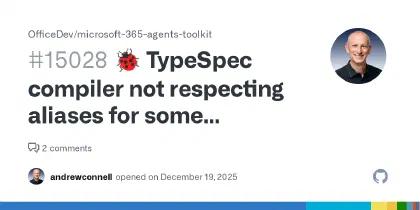
🐞 TypeSpec compiler not respecting aliases for some capabilities (ODSP specifically) · Issue #15028 · OfficeDev/microsoft-365-agents-toolkit
Describe the bug ODSP (maybe others?) makes it hard to use environment variables for dyanmic values. Scenario: I want to provide a specific document in an SPO list as knowledge via the doc's ID...
I drop back to hand-editing that one field. Microsoft also didn’t originally ship a helper to generate an env.ts file before compilation, so I wrote one for the Voitanos “Build Declarative Agents” workshop. Microsoft then copied it into their official samples repository. No credit. Of course.
How declarative agent governance compares to Copilot Studio
Governance is where I have to be direct: DAs have a better story than Copilot Studio, and it matters.
DAs always act on behalf of the signed-in user. If you grant the agent Sites.ReadWrite.All but the user doesn’t personally have write access to a site, the write fails at the list level. Every permission the agent requests shows up in the manifest, and users see them at consent time. Only Teams admins (or those granted the permission) can deploy DAs tenant-wide.
Copilot Studio is looser. Anyone with access can publish agents, including to anonymous public sites. At DEF CON last year, a researcher demonstrated a scanner that crawled the public internet for Copilot Studio agents published without authentication. He found one live on stage, talked to it without logging in, and had it dump an entire Salesforce Customer Relationship Management (CRM) contact list. The builder almost certainly didn’t intend that.
If you work in regulated industries, this difference isn’t academic.
Watch the webinar and keep going
That’s the speed-run. The webinar went deeper on embedded knowledge, MCP apps versus the OpenAI App SDK, how adaptive cards map to citation previews, licensing gotchas with metered versus seat Copilot plans, and a live PTO agent demo end-to-end.
Watch the full recording here:
Developer's Guide to Declarative Agents for M365 Copilot
Discover the pro-developer path to extending Microsoft 365 Copilot with declarative agents — built in VS Code with the Microsoft 365 Agents Toolkit.

Want to build this yourself?
The webinar is the overview. The Voitanos workshop is where you actually build it.
I’m running the next cohort of Build Declarative Agents for Microsoft 365 Copilot on April 28-30, 2026. Three days, six 90-minute live sessions, all recorded. You’ll walk out having shipped a working DA with custom instructions, embedded knowledge, Copilot connectors, API actions with OAuth, and a TypeSpec-based project you can reuse on your next one.
If you’re an M365 developer who’s tired of Microsoft’s binary “Copilot Studio or custom engine agents” framing and you want the middle path with real developer ergonomics, this is for you.
Claim your early bird spot for the April 28-30 cohort
See you there.